What Makes a Good White Noise App for iPhone
Most “white noise apps” are a looping audio file with a play button. The ones you can sleep on share four specific features.
Last updated: July 11, 2026
Short answer: a white noise app is worth installing if it loops without an audible gap, keeps playing with the screen locked, ends with a gradual fade-out timer instead of a hard stop, and works offline. Sound Machine Deep Sleep DRMN, free on the App Store, checks all four.
The four features that matter
1. Gapless looping
White noise works by staying constant. A half-second gap where the loop restarts is exactly the kind of sudden change that wakes a light sleeper, so it defeats the point of the app. Test this before your first night: play the sound for two minutes with headphones and listen for a seam or a click.
2. Background playback
The app has to keep playing when you lock the screen. Apps built on a web view or a cheap template stop when the display sleeps, which you discover at 2 a.m. DRMN uses the same iOS background audio system as a music app, so playback continues with the screen off.
3. A fade-out timer
A hard stop can wake you as reliably as a slammed door, because your sleeping brain registers the change. Look for a timer that fades volume down over minutes. DRMN's timer runs up to 10 hours and always ends with a gradual fade. Full details in the sleep timer guide.
4. Offline playback
Hotel Wi-Fi, airplane mode, a dead spot at your in-laws' house: if the app streams every sound, one of these will leave you without it. DRMN downloads sounds to the phone, so playback works with no connection at all.
Features that separate good from great
- A sound mixer. Pure white noise sounds harsh to some ears. Mixing it with rain or a fan hum softens it. DRMN lets you layer several tracks with independent volume per track.
- More than one noise color. White, pink, brown, and green noise put their energy at different frequencies. If white noise feels hissy, brown noise usually fixes it. The best sounds for sleep guide compares them.
- An interface built for the dark. Big controls, dark background, nothing to squint at when the lights are off.
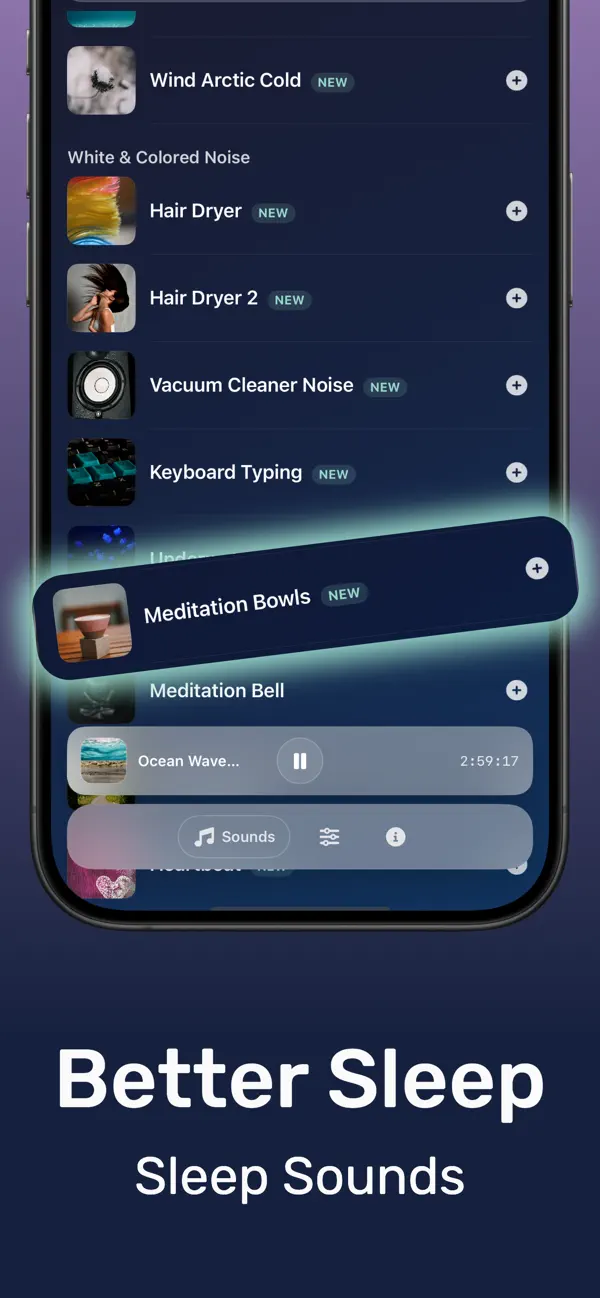
How to set up DRMN as your white noise app
- Download Sound Machine Deep Sleep DRMN free from the App Store.
- Open the library and pick White Noise. If it sounds sharp, switch to Brown Noise.
- Set the volume so it just covers your room's background noise. Conversation level or lower is enough.
- Set the sleep timer: 45 to 60 minutes if you only need help falling asleep, or 8 to 10 hours if noise wakes you during the night.
- Press play, lock the screen, and put the phone face down on the nightstand.


Frequently asked questions
Is there a free white noise app for iPhone?
Yes. DRMN is free to download and plays white, brown, and pink noise, rain, and fan sounds. An optional subscription ($5.99) or a $29.99 lifetime purchase unlocks the full library.
Does the app keep playing when the iPhone is locked?
Yes. DRMN uses iOS background audio, so it plays through the night with the screen off, the same way a music app does.
Does white noise all night drain the battery?
No. Audio with the screen off uses a small fraction of the battery over eight hours, and charging overnight removes the question entirely.