
TL;DR: DRMN is a free white noise and sleep sound machine app for iPhone (iOS 17.1+). It plays white, brown, and pink noise, rain, fan, and nature sounds, mixes multiple tracks, works offline, and fades out with a sleep timer of up to 10 hours. App Store reviewers report falling asleep faster when background noise is the problem; results vary by person.

Download

A sleep sounds app instead of a $50 bedside machine

DRMN replaces a dedicated white noise machine with the phone already on your nightstand. It is free to download, plays through the night with the screen locked, and keeps sudden noises — traffic, doors, snoring — from waking you.

Download DRMN on the App Store
Screenshots

Every screen is built for bedtime

Dark interface, big controls, nothing to squint at when the lights are off.

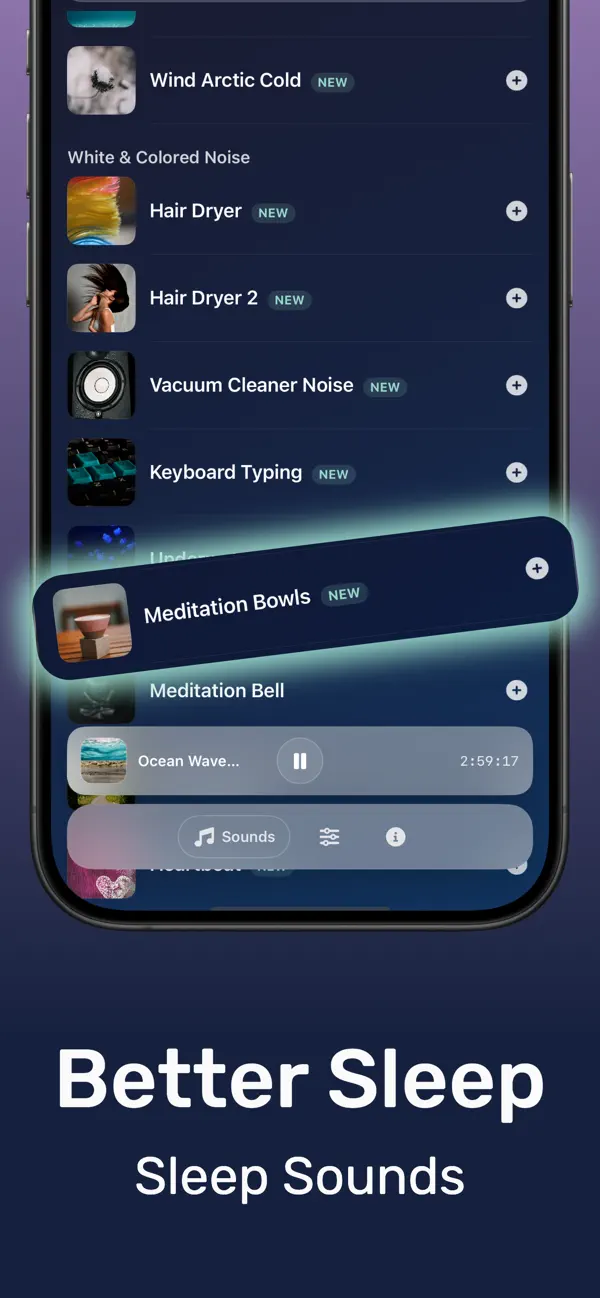
DRMN sleep sounds library with white noise, rain, ocean, and nature sounds
Sound library. White, brown, pink noise, rain, ocean, thunder, and nature ambience.
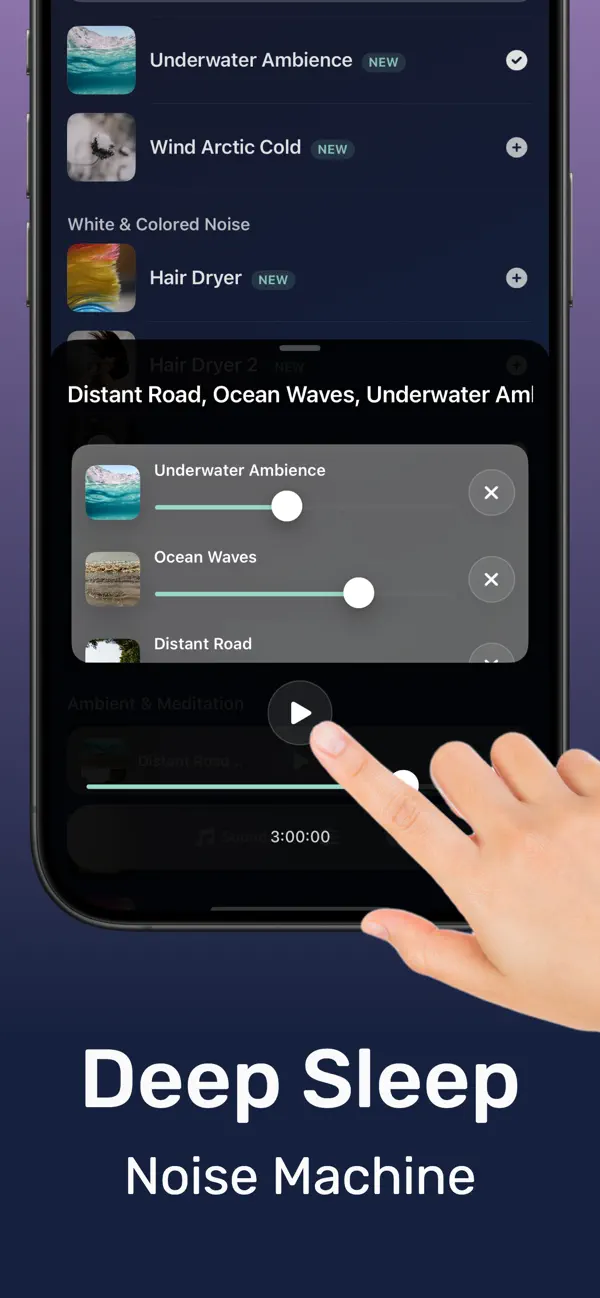
DRMN sound mixer layering multiple sleep sounds into one soundscape
Sound mixer. Layer several tracks with independent volume to build your soundscape.
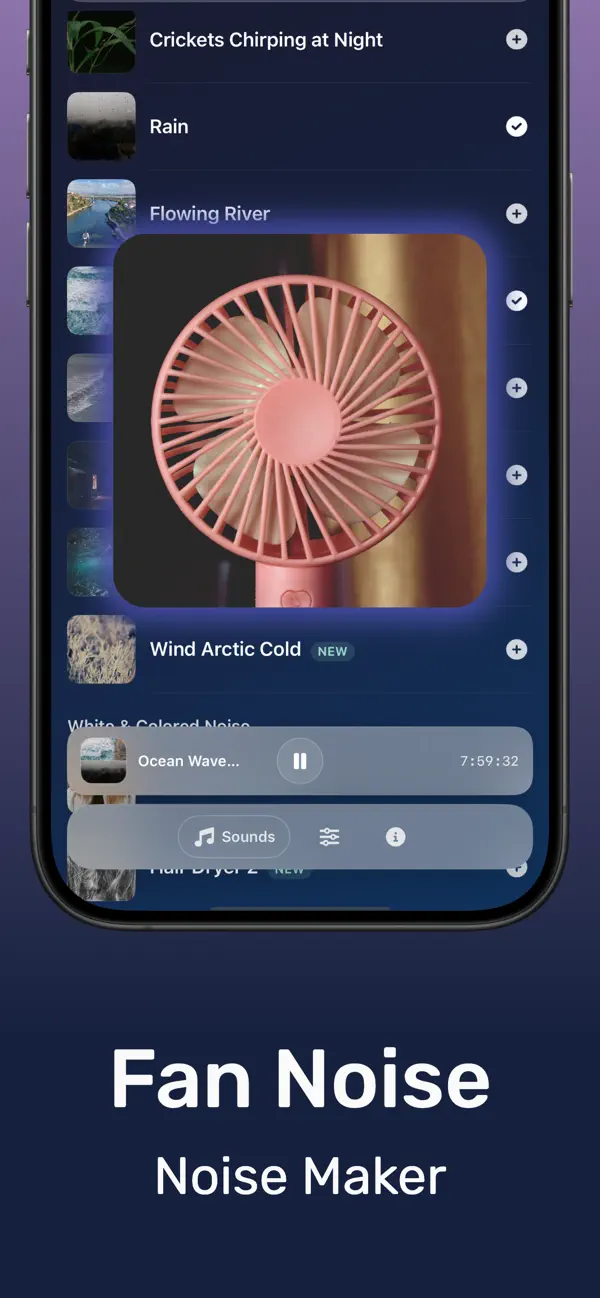
Fan noise for sleep playing in the DRMN sound machine app
Fan noise. The steady fan hum light sleepers rely on, without running a fan.
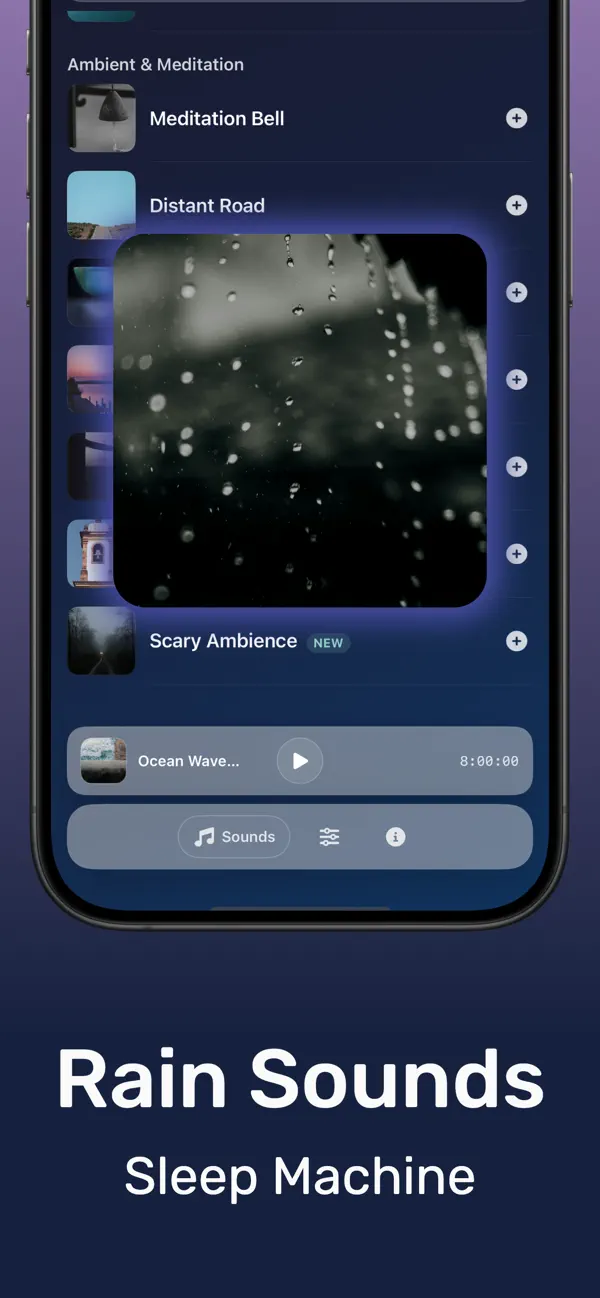
Rain sounds for sleeping in the DRMN white noise app
Rain sounds. Gapless rain loops for falling asleep and staying asleep.
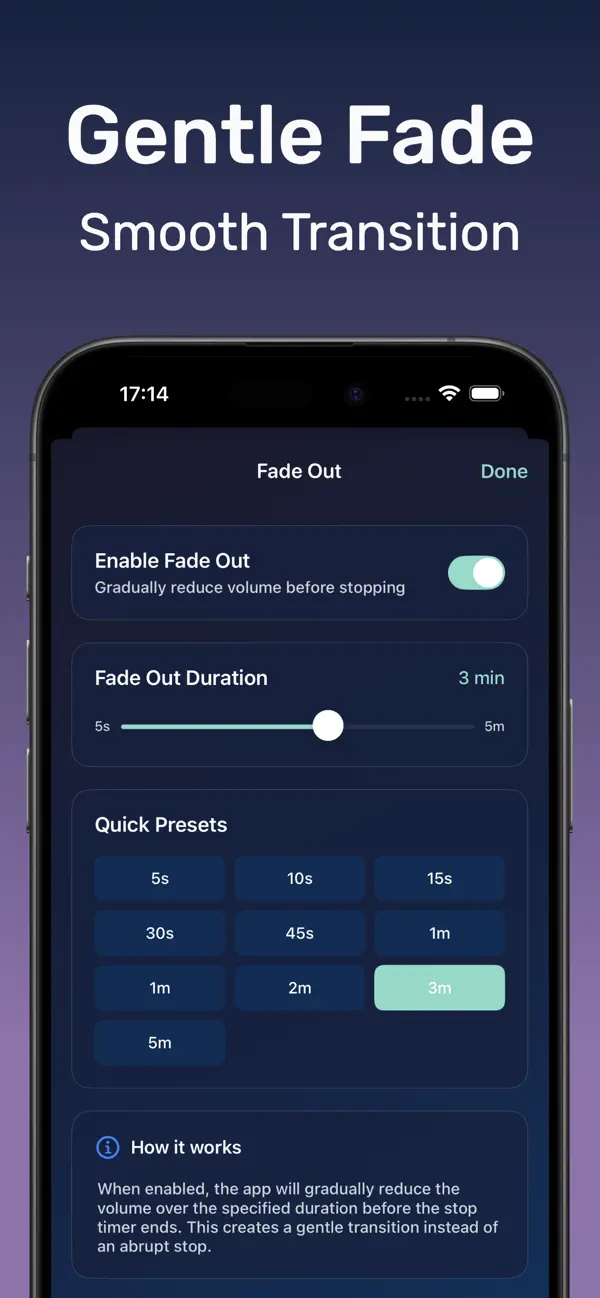
Gradual fade-out setting in the DRMN sleep sounds app
Gradual fade. Audio fades so gently the ending never wakes you.
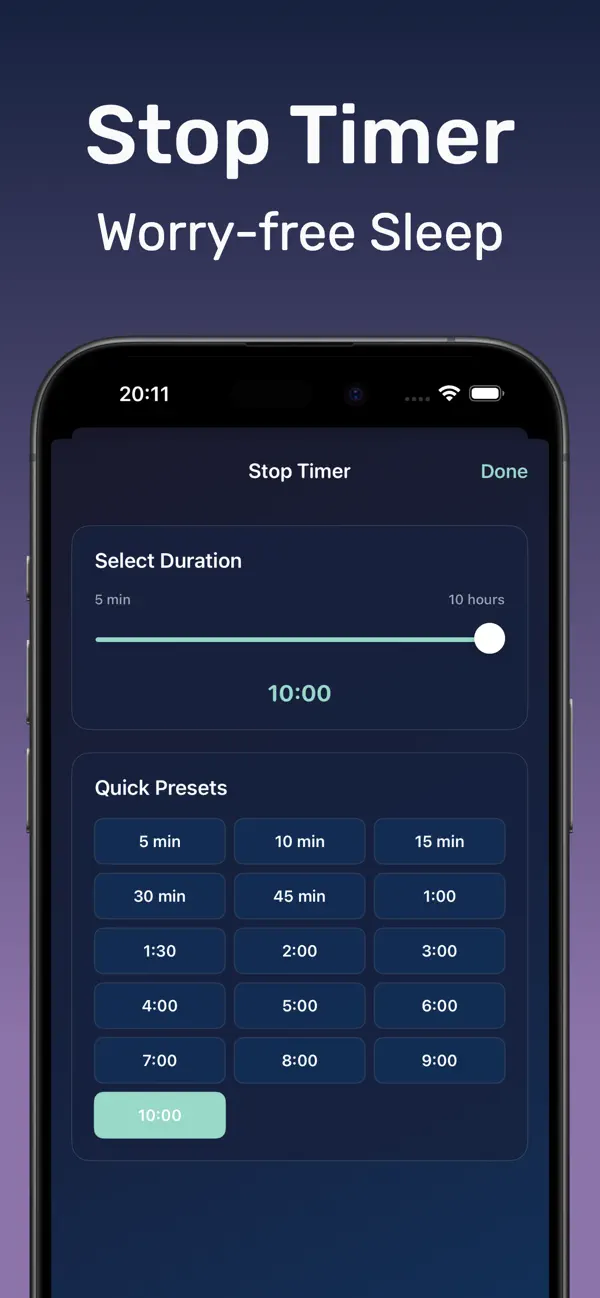
Sleep timer up to 10 hours in the DRMN sound machine app
Sleep timer. Set minutes or up to 10 hours — playback stops on its own.
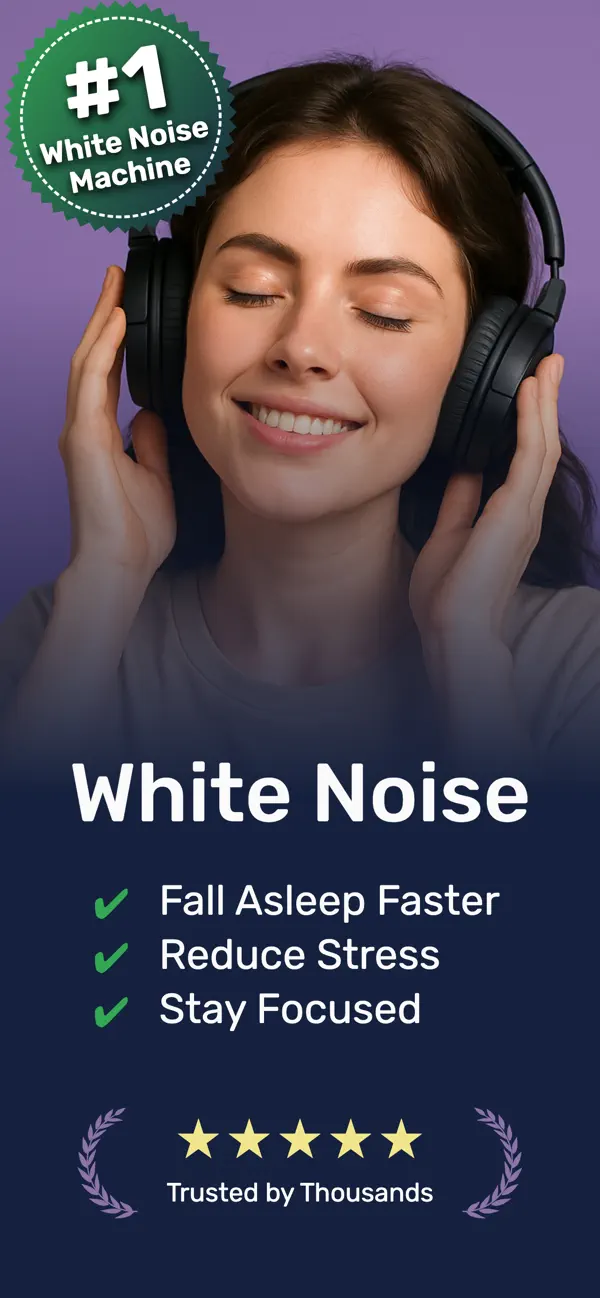
DRMN app cover screen: fall asleep faster tonight
One tap to sleep. Open, press play, put the phone down.
How it works

From “can’t sleep” to asleep in four taps

Steady sound masks the sudden noises that wake you — doors, traffic, snoring. Here is the whole routine.

Pick a sound

Choose white, brown, or pink noise, rain, ocean, fan, or nature ambience from the library.

Mix your soundscape

Layer tracks in the mixer — rain over brown noise, thunder under ocean waves — with per-track volume.

Set the timer

Pick anything up to 10 hours. Playback fades out gradually so the stop never startles you awake.

Press play and sleep

Lock the screen and put the phone down. Sounds keep playing all night — even offline.

A Sound Machine App for Sleep, Focus, and Baby Rest

DRMN is a white noise and sleep sound machine app for iPhone with rain, fan, brown noise, and nature sounds. It has over 10,000 downloads and a 4.9-star App Store rating, and covers three main uses: masking noise so you fall asleep faster, backgrounding deep work, and settling babies in the nursery.

A Sound Library Designed for Your Needs

We've carefully curated a collection of high-quality sounds to help you relax, focus, and sleep better:

  • White noise, brown noise, and dark noise - Perfect for masking disruptive sounds and creating a consistent sleep environment
  • Nature sounds - Rain sound for sleep, ocean waves, crackling fire, fan sound for sleep, and morning birds transport you to a peaceful place
  • Meditation and focus sounds - Ambient tracks and soft instrumentals help you concentrate during work or practice mindfulness
  • Baby sleep sounds - Familiar sounds like hair dryer, vacuum cleaner, and keyboard typing help little ones drift off to sleep

You can mix any of these together: white noise under ocean waves, rain over soft meditation music, or whatever combination helps you switch off. Mixing is unlimited and included in the free version.

How Sound Masking Helps You Fall Asleep

Sleep research on noise masking points to a simple mechanism: your brain reacts to changes in sound more than to sound itself. Steady audio helps in three ways:

  • Masks disruptive noise - Traffic, neighbors, snoring, and sudden sounds blend into the background instead of standing out
  • Signals your brain to rest - The same track every night becomes a cue that it's time to wind down
  • Reduces nighttime awakenings - A constant sound floor makes you less likely to be startled awake by one-off noises

App Store reviewers most often mention falling asleep faster when background noise was the thing keeping them up. Results vary by person, so preview a few tracks and give one a full week before judging it.

Focus Sounds for Work and Study

The same masking that helps at night works during the day. If you study in a shared space, work from a coffee shop, or sit in an open office, steady sound covers the conversations and clatter that break concentration:

  • Brown noise for deep work - Lower frequencies feel warmer than white noise and are easier to listen to for hours
  • Ambient and instrumental tracks - Background texture without lyrics that pull your attention
  • Saved mixes - Keep one blend for sleep and a separate one for work sessions
  • Offline playback - Focus sounds keep playing on a plane or anywhere without signal

Reviewers who use DRMN during the day mention studying, open-plan offices, and writing sessions as the most common use cases.

Baby Sleep Sounds for the Nursery

DRMN includes sounds parents already know work: hair dryer, vacuum hum, and keyboard typing. These steady, low-variation rhythms resemble the constant background noise babies heard in the womb, which is why they settle infants when silence doesn't.

Set the timer if you only need sound while your baby falls asleep, or use offline playback for all-night sessions without keeping the phone online. An old iPhone in the nursery running DRMN replaces a dedicated bedside sound machine.

Built with Care, Designed for Real Life

We've thought through every detail to make DRMN work seamlessly in your daily routine:

  • Professionally recorded sounds - Over 100 hours of carefully recorded and mastered audio for the best quality
  • Mix and match - Combine different sounds to create your perfect blend
  • Smart sleep timer - Set it to fade out automatically so you don't have to worry about it playing all night
  • Simple, beautiful interface - Start sleeping better in seconds, no complicated setup needed
  • Works offline - Download your favorite sounds and enjoy up to 10 hours of uninterrupted playback anywhere, even without internet
  • Battery-friendly - Optimized to run all night without draining your iPhone battery
  • Free to start - Download now and try it free, with optional premium features available

DRMN works on iPhone with iOS 17.1 or later and is optimized for all iPhone models. The free version includes a 1-hour timer (perfect for falling asleep), offline mode, sound mixing, and battery optimization. Premium features unlock extended playback and additional sounds.

DRMN vs Calm & BetterSleep — How Sleep Sound Apps Compare

See how DRMN compares to Calm and BetterSleep for sleep sounds on iPhone. Based on publicly listed App Store features and typical U.S. pricing as of 2026.

Feature DRMN Calm BetterSleep
Primary focus Ambient sleep & focus sounds Guided meditation & sleep stories Large sleep sound catalog
Free tier access 1-hour timer, mixing, offline, core sounds Limited free content Limited sounds; ads in free version
Offline mode Yes (10+ hours, battery-optimized) Premium downloads only Premium downloads
Sound mixing Yes, unlimited (free) Limited Premium for full mixing
Guided meditation No guided courses Extensive library Sleep meditations included
Baby sleep sounds Hair dryer, vacuum, keyboard General calm audio Lullaby-style content
Sleep timer Auto-fade (1 hr free) Varies by content Timer features in premium
Typical premium price Optional lifetime ~$19.99 ~$69.99/year ~$59.99/year
App Store rating 4.9/5 (10 reviews) 4.8/5 (1M+ ratings) 4.8/5 (200K+ ratings)
Guides

Sleep sound guides, written for real problems

How to use sound to fall asleep faster, block snoring, calm a baby, and more — each with exact steps in DRMN.

What Makes a Good White Noise App for iPhone

The four features that separate a real white noise app from a looping audio file — and how to set one up tonight.

Read the guide →

Sound Machine App vs Bedside Machine: Which to Choose

What a $50–$100 sound machine actually does, and when your iPhone does it better for free.

Read the guide →

The Best Sounds for Sleep, Ranked by What Wakes You

White vs pink vs brown noise, rain, fan, and ocean — which masking sound fits your bedroom and your brain.

Read the guide →

How to Fall Asleep Fast Using Sound

A 15-minute wind-down routine built on sound conditioning — the same cue every night, until sleep is automatic.

Read the guide →

Rain Sounds for Sleeping: Why They Work and How to Use Them

Why rain beats pure white noise for many sleepers, and the rain + brown noise mix worth trying first.

Read the guide →

Sleep Sounds With a Timer: Fade Out Instead of Stopping

All-night audio vs a timed fade — what the research says, and how to set a 10-hour gradual fade in DRMN.

Read the guide →

White Noise for Babies: Safe Volume, Distance, and Setup

The 50-decibel rule, the 7-foot rule, and which sounds actually settle newborns — hair dryer, vacuum, static.

Read the guide →

How to Block Out Snoring With Sound Masking

Snoring is low-frequency noise, so most white noise fails. Here is the mix that actually covers it.

Read the guide →

Fan Noise for Sleep — Without Running a Fan All Night

Keep the fan hum, skip the cold air and the electricity bill. Gapless fan sound on your phone.

Read the guide →

Deep Sleep Sounds: What to Play for More Restorative Sleep

Which sound frequencies support deep sleep stages, and how to run them through your first sleep cycles.

Read the guide →

Sleep & Focus Guides

Science-backed articles on white noise, rain sounds, and sound masking—written to help you pick the right audio for sleep and concentration.

Browse all articles

FAQ

Frequently Asked Questions

Short answers here — full guides one click away.

What is the best white noise app for iPhone?

A good white noise app needs four things: gapless looping, background playback with the screen locked, a fade-out timer, and offline support. DRMN does all four and adds a sound mixer, so you can layer white noise with rain or fan sounds. Learn more

Can a phone app replace a sleep sound machine?

Yes. A sound machine app plays the same steady masking audio as a bedside device, adds mixing and fade timers most hardware lacks, travels with you, and skips the $50–$100 price tag. Learn more

What are the best sounds for sleep?

Steady, unchanging sounds work best: white, pink, or brown noise, rain, fan hum, and ocean waves. They mask the sudden noises — doors, traffic, snoring — that actually wake you. The right one is personal, so test each for a full night. Learn more

How do sleep sounds help you fall asleep faster?

Steady sound raises the threshold a noise needs to cross to alert your brain, and a consistent bedtime sound becomes a conditioning cue — after about a week, your brain links it to falling asleep. Learn more

Why do rain sounds help you sleep?

Rain is natural broadband noise close to pink noise: it masks disruptions without sounding artificial, and most people find it calming. Layer it with brown noise to cover low-frequency sounds too. Learn more

Can sleep sounds turn off automatically with a timer?

Yes — DRMN’s sleep timer runs from a few minutes up to 10 hours and ends with a gradual fade-out, so the stop never startles you awake the way a hard cutoff can. Learn more

Is white noise safe for babies?

Yes, when kept at or below roughly 50 decibels with the phone at least 7 feet (2 meters) from the crib, per pediatric guidance. Use a timer rather than loud all-night playback, and never put the device in the crib. Learn more

How do I block out snoring at night?

Snoring is low-frequency, so high-pitched white noise misses it. Use brown noise or fan sound — or rain layered over brown noise — set just above the snoring volume, with a long timer. Learn more

Can I get a fan sound for sleep without running a fan?

Yes. DRMN plays a gapless fan hum with no cold air, no dust, and no fan running all night. Mix it with white noise and set a fade timer. Learn more

What sounds are best for deep sleep?

Lower-frequency sounds — brown noise, pink noise, ocean waves — mask disruptions without harsh high frequencies, which makes them the usual picks for deep sleep support. Keep the volume at conversation level or below. Learn more

Is there a free white noise app for iPhone?

Yes. DRMN is free to download on the App Store. The free tier includes a sleep timer, offline playback, sound mixing, and core sleep sounds. Premium unlocks longer sessions and additional tracks — no subscription required to try the basics.

Does DRMN work offline?

Yes. After you download tracks, DRMN plays without internet. Battery optimization supports up to 10 hours of uninterrupted playback — enough for travel or all-night use.

Who makes DRMN?

DRMN is developed by Vladimir Ivakhnenko, an independent iOS developer. The app is listed on the App Store with a 4.9-star rating and more than 10,000 downloads. Contact: c-basso@ya.ru.

About DRMN

DRMN is an independent iOS sleep and focus app built by Vladimir Ivakhnenko. It started as a simple tool for better rest—steady sounds, offline playback, and no subscription required to try the core features.

Get the app

Your next calm night is one tap away

Download Sound Machine Deep Sleep DRMN free on the App Store. Pick a sound, set the fade timer, press play — and fall asleep faster tonight.

Download DRMN on the App Store